

Random game
Don't know what to play? Leave it to us.





















Ozwin Casino App – Download APK for Android and iOS in Australia
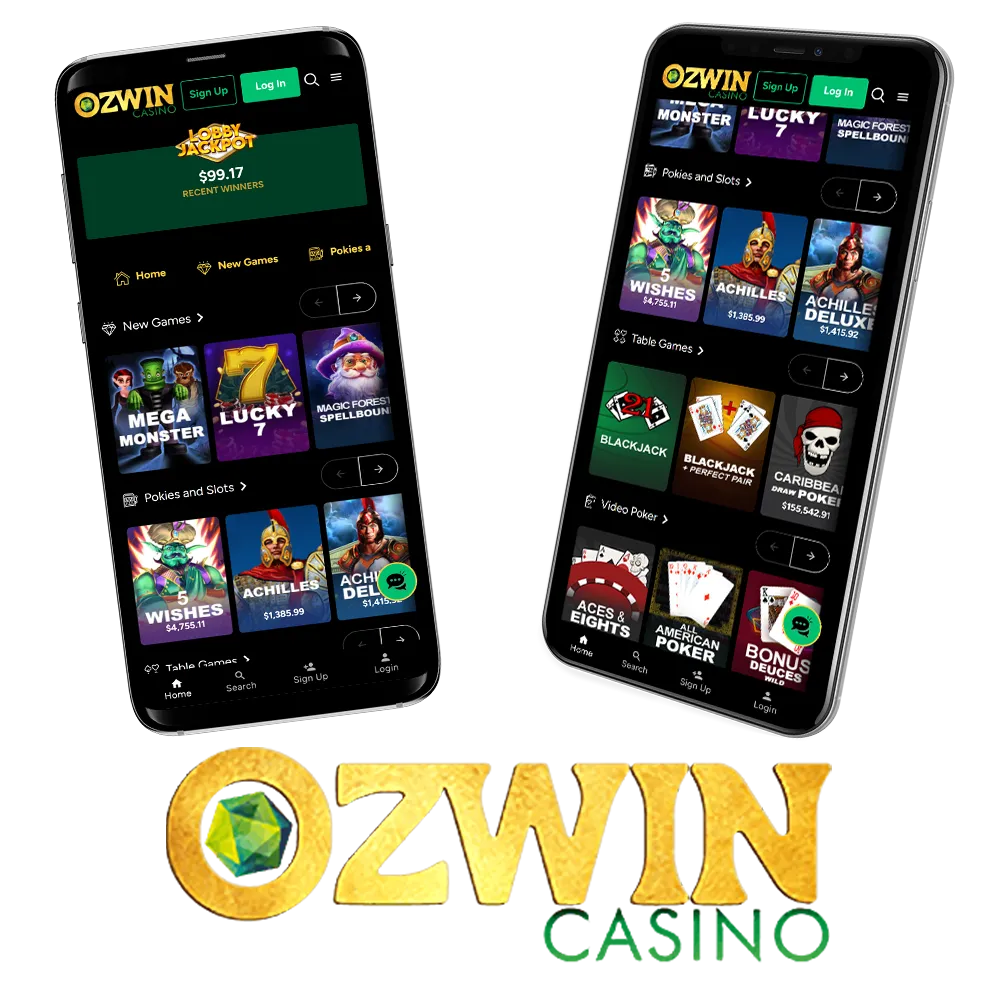
At Ozwin Casino Australia, we know most players want quick access to their favourite games without being tied to a laptop. That’s why we’ve made sure our mobile experience works smoothly on both smartphones and tablets. Whether you’re playing on Android or iPhone, you can browse the lobby, manage your account, and use the cashier just like you would on a desktop. While some features may be presented differently on smaller screens, our mobile setup is built to deliver the same core casino experience: games, bonuses, and payments – all in one place.
About Ozwin Сasino Mobile
Our mobile option is designed for Australian players who want flexibility. Depending on your device, you can either use the mobile browser version or install an APK on Android for faster access. Here’s a quick overview:
| Mobile Option | Available On | Download Needed | Best For |
| Mobile browser casino | Android / iOS | No | Instant play, no storage use |
| APK install | Android | Yes | Faster access, shortcut-style use |
| iOS web access | iPhone / iPad | No | Smooth Safari gameplay |
If you’re searching for access, this is the easiest way to play without changing how you normally use the platform.

How to Download Ozwin apk for Android?
Android users have the most direct install option through an APK. Here’s how to do it safely:
- Open the website on your Android phone using Chrome.
- Go to the mobile section or the download area (if available).
- Tap Download APK.
- If your phone blocks the download, go to: Settings → Security → Install unknown apps
- Allow Chrome (or your browser) to install apps from unknown sources.
- Open the downloaded APK file and tap Install.
- Once installed, launch the app and log in as normal.
Tip: Always download only from the official website to avoid fake files.
How to Download Ozwin Сasino app for iOS?
On iPhone and iPad, we typically support mobile play through the browser rather than an App Store download. Here’s the simple setup:
- Open Safari (or your preferred browser).
- Visit the website.
- Log in and browse games as usual.
- For quicker access, tap the Share icon in Safari.
- Select Add to Home Screen.
- Confirm the shortcut name and tap Add.
This creates an app-style icon on your iPhone, giving you quick access without needing an official store download.
Ozwin Mobile Main Features
Our mobile casino is built around convenience, speed, and full functionality. Here’s what you can do on mobile:
| Feature | Available on Mobile | Notes |
| Slots & pokies | Yes | Same lobby categories |
| Live dealer tables | Yes | Streamed gameplay support |
| Account management | Yes | Profile and settings access |
| Deposits & withdrawals | Yes | Mobile-friendly cashier |
| Bonuses & promos | Yes | Can be claimed on mobile |
| Support access | Yes | Help tools available |
If you’re using the apk, the layout is optimised for touch navigation and quick switching between games and account tools.
Ozwin Mobile App – Top Providers and Games
We work with well-known software studios to keep gameplay smooth and varied on mobile. Some of the top providers you’ll commonly find include:
- Pragmatic Play
- Play’n GO
- Evolution Gaming
- NetEnt
- Microgaming
Popular Mobile Games:
Below are a few common game styles you’ll see in our lobby, along with what players usually like about them.
| Game Type | Best For | Main Features |
| Video slots | Quick spins | Bonus rounds, free spins, multipliers |
| Live roulette | Real-time play | Live dealers, classic betting options |
| Crash/instant games | Fast sessions | Simple mechanics, rapid rounds |
Mobile play is designed to be smooth even on smaller screens, so you can jump in quickly without long loading times.
How to Register and Login via the Ozwin Mobile
Getting started on mobile is simple, and you don’t need a separate account for mobile access. Your details work across devices, including desktop and app-style login.
Sign-up process
- Open the Ozwin Casino Australia mobile site or app shortcut.
- Tap Sign Up.
- Enter your details (email, password, and basic info).
- Confirm that you meet the age requirement (18+).
- Submit your registration.
- Check your email if confirmation is required.
Once completed, you’ll be ready to deposit and play.
Sign-in flow
- Open the mobile site or installed APK.
- Tap Login.
- Enter your username/email and password.
- Confirm and enter the lobby.
This is the standard ozwin casino mobile login process—fast and identical to desktop.


Bonuses and Promotions in Ozwin Mobile Casino
We offer multiple promotions that can be accessed directly through mobile. These may include welcome rewards, weekly deals, and VIP-style offers.
Here’s a simple overview of common bonus types:
| Bonus Type | What It Includes | Typical Requirement |
| Welcome package | Deposit-based rewards + spins | Deposit needed |
| Weekly promos | Reload offers or spins | Eligible deposit |
| Cashback deals | % returned on activity | Rules apply |
| VIP rewards | Match bonuses | VIP eligibility |
Bonuses always come with conditions such as wagering requirements and time limits, so we recommend checking the terms before activating any offer.
Deposit and Withdraw Methods in Ozwin App
Mobile banking is fully supported, and the cashier is designed to work smoothly on both Android and iOS.
How Do You Deposit Money?
- Log in to your account.
- Open the Cashier section.
- Choose a deposit method (card, e-wallet, or crypto where available).
- Enter your deposit amount.
- Confirm the payment.
- Funds are credited to your balance once approved.
Always double-check minimum deposit limits and any method-specific restrictions before confirming.
How Do You Withdraw Money
- Go to the Cashier area.
- Select Withdraw.
- Choose the withdrawal method.
- Enter the amount.
- Confirm your request.
- Wait for processing based on the chosen method.
For smoother processing, we recommend using the same payment method you deposited with whenever possible.
Ozwin Casino App Security
Security is a key part of mobile casino play, and we take it seriously at platform. Our apk is designed to protect user sessions and payments using standard online security practices, including:
- Encrypted connections (SSL-style protection)
- Account login security controls
- Secure cashier handling for deposits and withdrawals
- Verification steps when required (to protect withdrawals)
We also recommend players use strong passwords, avoid public Wi-Fi when banking, and log out after sessions on shared devices.

FAQ
To log in from mobile, open the website or apk shortcut, tap Login, and enter your usual account details. Your account is the same across all platform.
Yes—Android players can usually download an APK version, while iOS players can use the mobile browser and save it as a Home Screen shortcut for app-style access.
New players can usually access a welcome package that includes deposit-based rewards and may include free spins. Bonus eligibility and wagering rules apply, so always review the terms before claiming.